Techjockey Recruit · Hiring platform · 2026 · Live · 10 min read
An AI-assisted hiring platform with a voice interviewer in the browser
How do you give every applicant a structured, scored first-round interview within hours of applying, without a recruiter on the phone?
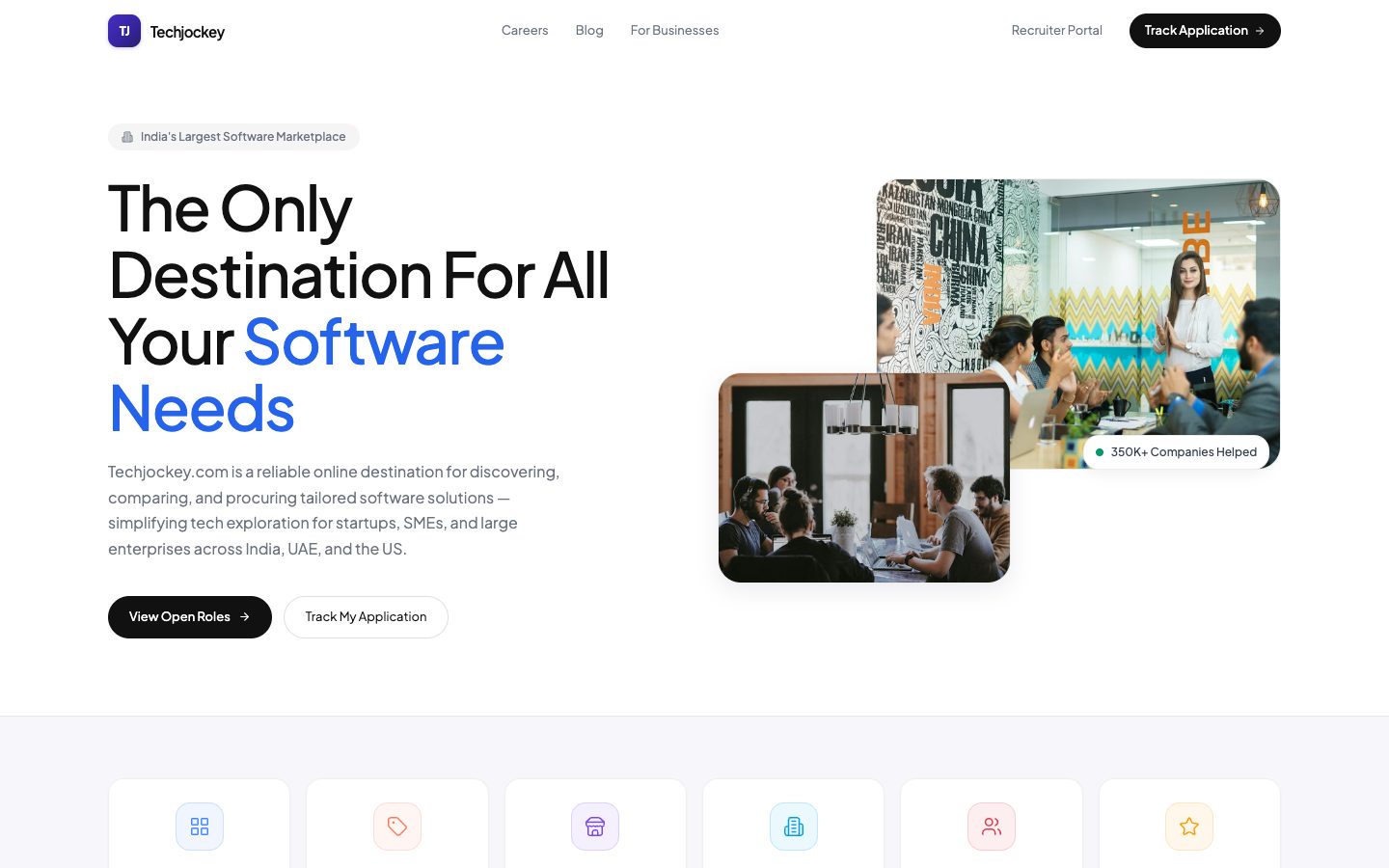
Techjockey Recruit replaces the 15–20 minute phone screen with an AI voice interview that candidates take in the browser, then writes the scored, transcribed result straight into a full applicant tracking system. Pipeline, interviews, offers, analytics, referrals and admin all live in the same product.
 (opens full size in a new tab)
At a glance
- From application to first signal, not days
- Minutes
- Manual phone screen per candidate, now run by AI
- 15–20 min
- For leadership, plus 9 exportable reports
- 15 KPIs
- Staff roles × permissions
- 9 × 13
- Role
- Built end to end: product, design and engineering
- Context
- Self-directed; internal hiring system, live at swiftcandidate.com
- Format
- Live product
- Stack
- React 18 · TypeScript · Vite · Node 22 · Supabase · OpenAI Realtime · Cartesia · GPT-4o-mini · Tailwind · Vitest · Playwright
The problem
Mid-market tech hiring runs on a job board, a spreadsheet, a mailbox and a WhatsApp thread. The slow part is the first-round phone screen: 15–20 minutes per candidate, asking the same six questions (notice period, current CTC, expected CTC, location, role fit, communication), and half of those calls go unanswered. Applications pile up faster than a small team can call them, good candidates go cold in the queue, and no two screens are scored the same way. Techjockey Recruit replaces that round with an AI voice interview that writes straight into a full applicant tracking system: the pipeline, the scorecard and the candidate's record.
How a hire moves through Recruit
From job description to the company's HR records, in one system. Along the way, anyone working on the job can move a candidate ahead, reject them or close the job. Closing first shows what is still going on (candidates, interviews, unused interview links, open offers), then winds it all down.
Write the JD
A hiring manager or recruiter drafts the role, openings, experience and pay range.
Approve it
Department head, then founder, then an admin assigns recruiters. A company setting, off by default.
Open the job
Listed on the careers page. A confidential job stays off it and off job boards.
Take in candidates
Careers page, referral, job board or a recruiter (up to 100 at once). Duplicates are refused.
Score the résumé
0–100 against the JD. A pass gets Priya's link; the rest wait for a person in Resume Review.
Talk to Priya
A one-time voice interview in the browser, about 12 minutes. A scored call moves them to Screening.
Interview with the team
Google Meet or Microsoft Teams links, reminders a day and an hour before, one scorecard per interviewer.
Clear the checks
Documents, references, background check, and a test if the role needs one, before any offer.
Make the offer
Approved by the HR head and a founder, then sent with a secure link and an accept-by date.
Prepare to join
Resignation letter, then the old employer's acceptance, then a laptop and access from IT.
Confirm joining
HR confirms day one once every item on the joining checklist is done.
Hand off to HR records
An admin sends the new joiner to the company's HR records system. The salary isn't stored again.
How I built Priya
Six product decisions behind the AI interviewer, from the bet to where it stands today. The schematics are illustrative; every number on them comes from the product's code and documentation.
How the résumé score works
The cheap check in front of the expensive call. The résumé is scored 0–100 against the JD. When the JD doesn't set a requirement (say, no salary range), that part is left out and the others count for more, so nobody is scored against something the role never asked for. The pass mark is 60 unless the company changes it.
| Part | Weight | Counted when |
|---|---|---|
| Role and experience relevance | 30 | Always |
| Skills | 30 | Always |
| Experience within the JD's range | 20 | The JD sets a minimum or maximum |
| Notice period within the JD's limit | 10 | The JD sets a notice period |
| Current CTC within the JD's salary range | 10 | The JD sets a salary range |
What happens after the score
- Pass — the interview link goes out by email, and by WhatsApp when the company has switched it on. Someone the company hired before skips the automatic interview; a recruiter reviews them.
- Fail or can't score — the candidate waits in Resume Review. "Move ahead" records who decided and why; "Reject" needs a reason.
- Nobody acts for 5 days — every morning at 8, failed résumés nobody moved ahead are rejected automatically. The company can change the number of days.
- Couldn't be scored — never rejected automatically. A résumé the model couldn't read always waits for a person.
A tour of the product
Ten surfaces, one system.
Recruiter dashboard
Scoped by role: you see the requisitions you actually own.
Pipeline
Drag candidates through guarded stages: applied → screening → interview → selected → offer → hired.
AI screening queue
Every voice screen with its score, JD-fit % and recommendation. Calls in progress can be watched live.
Candidate profile
Transcript, subscores, documents, interviews, messages and a full activity log in one place.
Offer flow
Payroll-accurate CTC breakup, approval by two people and a generated offer letter, with salary encrypted end to end.
Analytics & reports
15 leadership KPIs with period-on-period change and drill-down, plus 9 exportable reports that can be emailed on a schedule.
Candidate portal
Status, interviews, offer, document checklist and two-way messaging, so candidates aren't left waiting in silence.
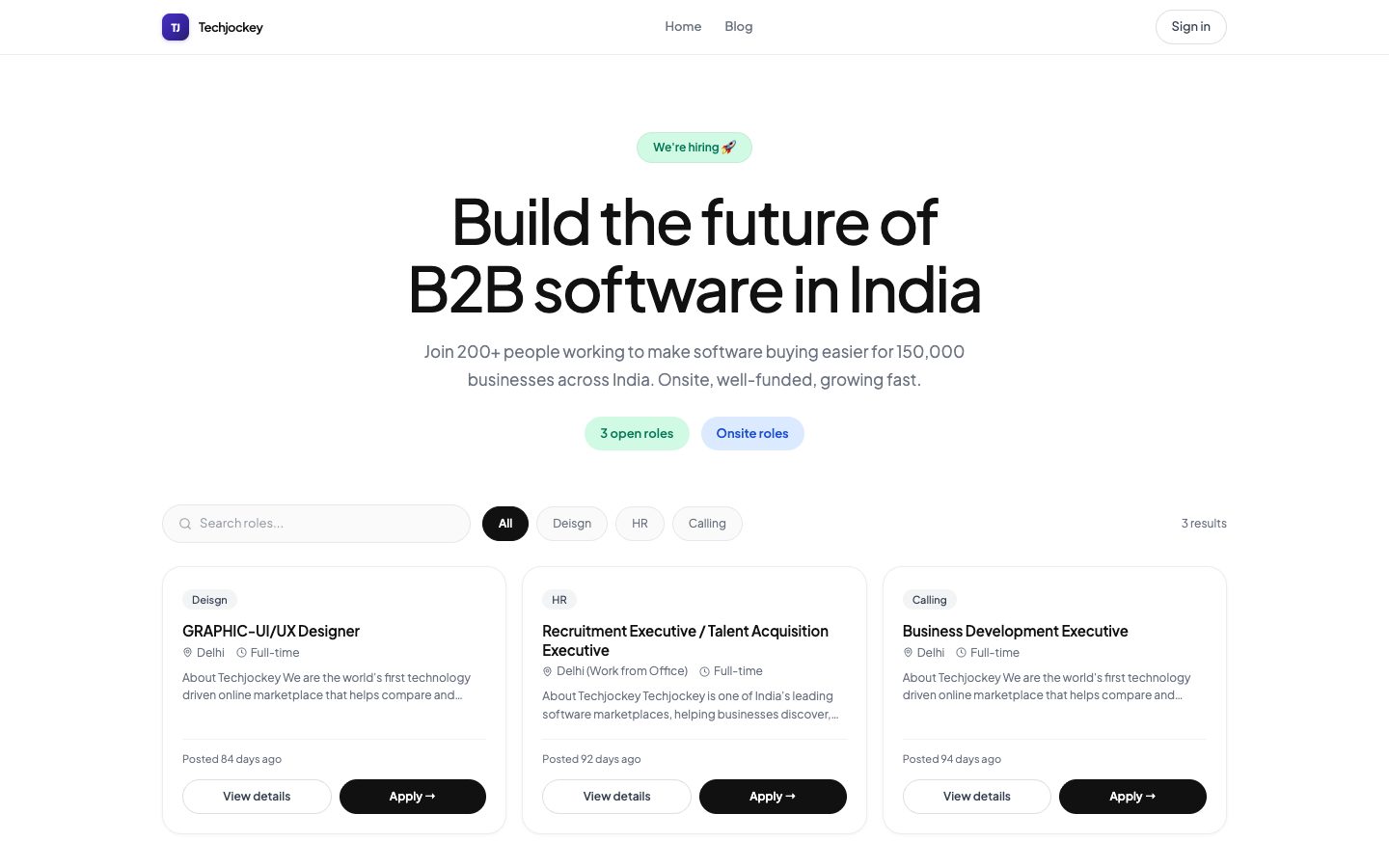
Public careers page
Apply with a résumé; the form fills itself in from it.
Employee referrals
Reference codes, status tracking and bonus eligibility, without showing the candidate's personal details to the referrer.
Admin & access control
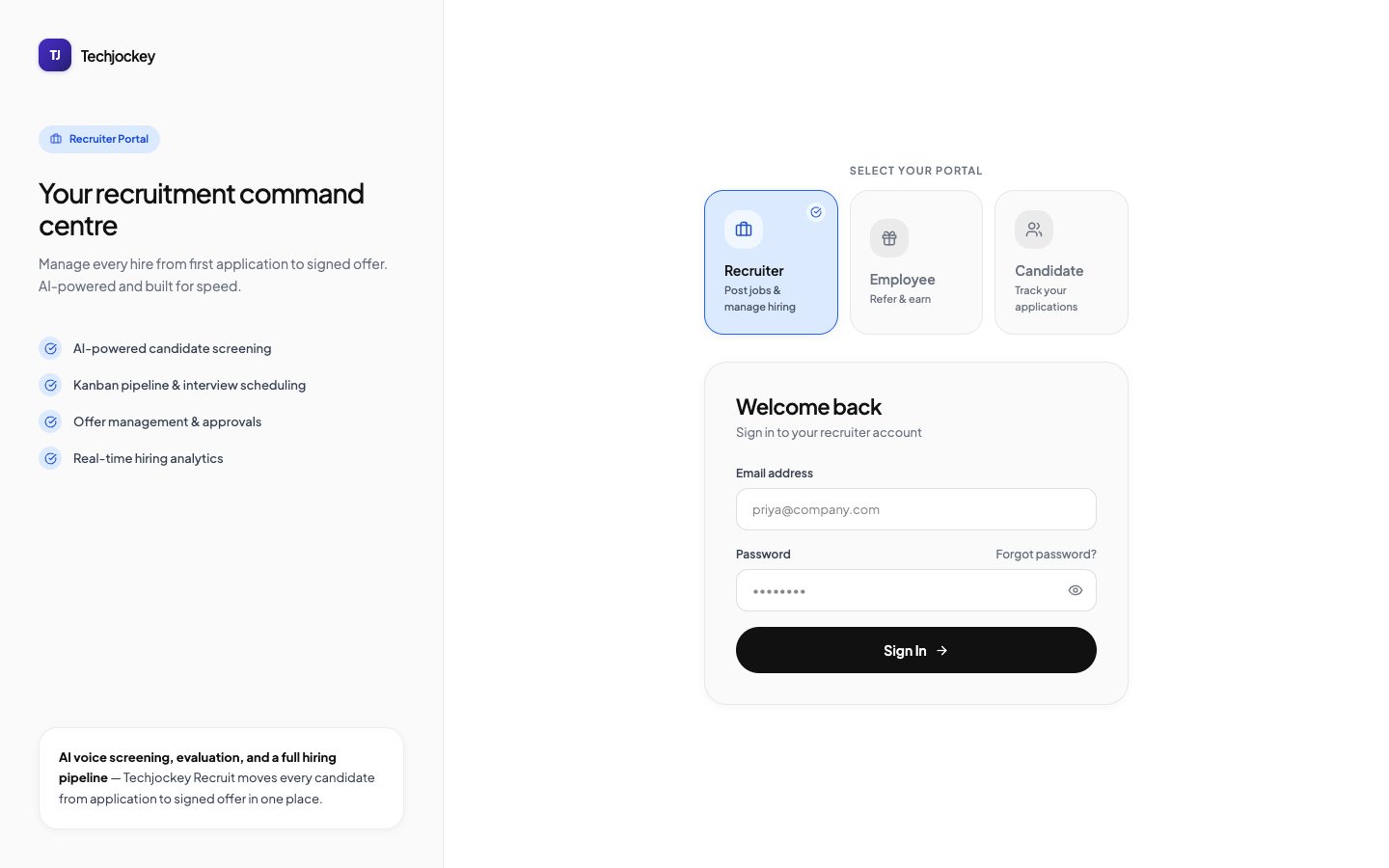
9 staff roles and 13 permissions. Confidential sections can only be granted to admins.
What's in the box: highlights
- Job-description approval chain (draft → department head → founder → admin). Only the people involved are notified, and every bypass is logged. Changing the title, openings, level or budget mid-approval sends the JD back to draft and clears earlier approvals.
- "Close job" first shows what is still going on, then rejects candidates still in progress with the reason "Position closed" (the person closing can keep them), cancels upcoming interviews, switches off unused interview links and withdraws offers not yet accepted.
- Pipeline board that blocks stale updates: an old browser tab can't quietly overwrite someone else's stage change.
- Interview scheduling that creates Google Meet or Microsoft Teams links, handles reschedules and sends reminders 24 hours and 1 hour before.
- A permanent stage history: every move records who made it, when and why, and the profile shows time spent in each stage.
- Offers with eligibility rules enforced in the database, a per-company CTC breakup engine and versioned offer-letter templates.
- Multi-company: a platform owner can set up more companies, each fully isolated and carrying its own branding.
Offer checks, in three tiers
Not every rule should be a wall. All the checks run when an offer is created and sent for approval; later steps re-check only the hard stops, so an offer already being approved isn't held up by a smaller issue. Once it is sent for approval, pay and terms are locked, and dates change only through "Change dates", with a reason.
| Tier | What triggers it |
|---|---|
| Always stops it | The candidate is rejected, already hired, or still at Applied or Screening. Another offer is already in progress for the application. Do-not-hire. The job is closed, filled or dissolved. |
| Stops it unless an admin gives a reason | Still at Interview, not yet selected. The job is paused. Documents, background check or test not done. An offer in progress or accepted for another job. All openings filled. An interviewer's latest verdict is Strong No Hire. |
| Warning only | No scorecard submitted yet. A missing scorecard never stops an offer. |
Guardrails: product decisions, not defaults
This system holds salary data and decides who gets hired, so these rules were designed in deliberately rather than left at defaults.
| Decision | How it works |
|---|---|
| The system enforces the rules, not the screen | Every rule is checked again behind the scenes, so hiding a button is never the only protection. Where only a screen can check something, that is written down. Example: offering above the approved budget needs a written reason, but only screens can check it, because the system can't read locked pay. |
| Separation of duties | Nobody approves their own JD, at any step. Whoever approved a JD as department head can't also approve it as founder or skip the founder. On offers, the founder step can't be taken by whoever approved as HR head. Skipping a founder needs a note and a proof file, and the founder is told. |
| Salary locked and encrypted | Offer pay, the candidate's current salary and the job's approved budget are locked. The system can lock them but can't read them; only people an admin gives the company's salary key can unlock them, on their own screen, with their passphrase. The candidate's current salary is used only to score the résumé, never shown as a number. Offer emails carry a secure link, never figures, and emailed reports leave salary out. |
| What candidates never see | The written record of their AI interview, and whether they are marked do-not-hire: the careers page only says it can't accept the application. Employees who refer someone see a simple status, never the candidate's contact details. |
| Rejection email exactly once | A rejected candidate gets one rejection email: never a duplicate, and none at all if they are reopened first. Withdrawn candidates never get one. |
| Company isolation | Each company's jobs, candidates, files and settings are walled off in the database itself. A candidate who applies to two companies is two separate records, and neither company sees the other's. A test fails the build if server code bypasses the company check. |
| Role-based access | 9 staff roles × 13 permissions. Analytics, reports and team management can only be granted to admins; nobody can give themselves extra access, and only the owner can make someone an owner. |
| A history nobody can edit | Every stage move records who, when and why, and the JD approval history is kept the same way. Both can only be added to, never changed. |
| Notification scoping | Notifications go only to the people working on that job. Approvers had stopped reading them because they were pinged about every candidate in the company. |
Architecture
The single-page app reads and writes Postgres directly through Supabase, with row-level security as the authorization boundary. A Node server handles what a browser can't be trusted with or can't do: the voice session, provider API keys, notifications across users, scheduled jobs and file parsing. The database has gone through 138 migrations and can be rebuilt from scratch from one consolidated script.
Stack
| Layer | Choice |
|---|---|
| Frontend | React 18, TypeScript, Vite 6, React Router 7, Tailwind 4, shadcn/ui, Recharts |
| Backend | Node 22, Express 4, WebSockets, Helmet, rate limiting |
| Data | Supabase: Postgres, row-level security, Auth, Storage, Realtime |
| Voice | OpenAI Realtime (speech-to-text, turn-taking, interruptions) + Cartesia Sonic (text-to-speech) |
| AI | GPT-4o-mini for résumé parsing, JD-fit scoring and post-call evaluation |
| Comms | SendGrid (email), Gupshup (WhatsApp) |
| Testing | Vitest (frontend logic, server routes, scheduled jobs, voice, company isolation) and Playwright browser journeys |
| CI/CD | GitHub Actions (build, tests, server syntax check); Docker |
Where it stands
- Feature-complete across screening, pipeline, interviews, offers, analytics, referrals and admin. Runs in containers behind a reverse proxy.
- Multi-company is live, with per-company offer letters, salary structures and platform defaults for new companies.
- Integrations that need partner credentials (job boards, WhatsApp and the HR records system) are built behind adapters and switched off until keys are supplied.
Product screens
 (opens full size in a new tab)
 (opens full size in a new tab)
Want to talk through this?